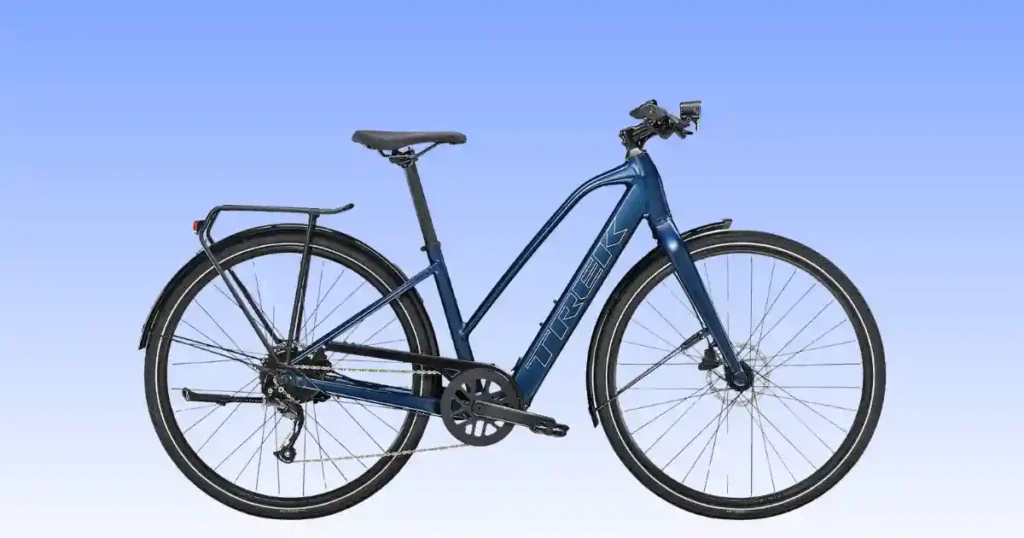
Nothing ruins a morning commute faster than a silent display and a bike that just sits there. I hit this exact wall with my own Trek FX+ 2 Lowstep one chilly morning in Charlotte, North Carolina. A Trek FX+ 2 Lowstep not starting almost always comes down to one of three things: a loose battery, a misaligned speed sensor, or a controller that needs a simple restart. I have serviced Hyena powered e-bikes for years, and the pattern rarely changes. This guide breaks the problem down step by step, in plain language, so you can get moving again without a shop visit. Grab a few basic tools and let’s work through it together.
What Does “Trek FX+ 2 Lowstep Not Starting” Really Mean?
This phrase covers several different symptoms, not one single fault. Some riders get total silence from the display. Others feel the motor stay quiet even though everything looks normal. Pinning down your exact symptom saves time and points you straight to the right fix.
Display won’t turn on
Press the power button and nothing lights up. Battery connection is the first thing to check here.
Motor won’t provide pedal assist
The bike rolls fine, but the hub motor never kicks in. A speed sensor issue often causes this.
Battery appears dead
The pack shows no charge at all, even after sitting on the charger. This links closely to how hybrid bike components last, since batteries wear differently than mechanical parts.
Bike powers on but won’t assist
The display lights up fine, yet the motor stays silent. A controller fault usually explains this pattern.
Error code or warning light appears
A blinking light on the controller points to a specific fault you can often diagnose at home.
Bike rides normally but has no electric assistance
The bike functions like a regular hybrid, without any motor help. Worth comparing against my notes on how a road hybrid bike works to understand the baseline mechanical ride.
Quick Checks Before You Begin Troubleshooting
Run through this short sequence before assuming the worst. Most no-start problems reveal themselves within a few minutes using this exact routine.
Check the Hyena battery charge level
Look at the LED indicator on the battery itself, not just the display.
Verify the battery is fully seated
Push firmly until you hear or feel the lock click into place.
Turn on the display correctly
Hold the power button for a full two seconds, not a quick tap.
Check controller LED indicators
Note the color and blink pattern, since each combination points to a different fault.
Inspect the speed sensor and spoke magnet
Confirm the magnet lines up directly across from the sensor arm.
Confirm the assist level is selected
A bike set to level zero will pedal like a normal hybrid with no power boost.
Restart the complete e-bike system
Power everything off, wait ten seconds, then power back on in sequence.
Quick Troubleshooting Checklist
After servicing lightweight commuter e-bikes in Portland, Oregon, and Denver, Colorado, I have found that most “not starting” complaints trace back to battery seating, speed sensor alignment, or loose electrical connectors. Start with these checks before replacing any expensive parts.
| Symptom | Possible Cause | Difficulty | Time |
|---|---|---|---|
| Bike won’t power on | Battery connection | Easy | 2 min |
| No pedal assist | Speed sensor issue | Easy | 5 min |
| Battery won’t charge | Charger fault | Easy | 10 min |
| Warning light flashing | Controller issue | Medium | 10 min |
| Motor cuts out | Loose wiring | Medium | 15 min |
| Bike completely dead | Battery or controller | Hard | 30 min |
Common Reasons Your Trek FX+ 2 Lowstep Won’t Start
Several electrical and mechanical systems work together on this e-bike. A small fault in any one of them can stop the whole system from waking up.
Hyena battery problems
The battery is often the very first suspect, and for good reason.
Battery fully discharged
A pack left uncharged for weeks can drop below its safe wake-up voltage.
Battery not locked correctly
An unlocked battery loses contact the moment the bike hits a bump.
Dirty battery contacts
Grime or corrosion on the contact pins blocks the electrical connection.
Battery protection mode activated
Extreme cold or a deep discharge can trigger a protective lockout.
Hyena rear hub motor problems
The rear hub motor drives the pedal assist, so any fault here kills power delivery.
Motor not engaging
The motor may spin freely but never receive a signal to engage.
Controller communication fault
A broken signal between the controller and motor stops assist entirely.
Motor overheating protection
Climbing long hills repeatedly can trigger a temporary shutdown to protect the motor.
Display and controller issues
Display won’t power on
A loose display cable is the most common cause of a blank screen.
Loose controller connection
Vibration from regular commuting can work connectors loose over time.
Software communication error
A firmware mismatch between display and controller can freeze the system.
Speed sensor problems
Misaligned spoke magnet
The magnet must pass within a few millimeters of the sensor arm.
Damaged speed sensor
A cracked sensor housing lets in moisture and debris.
Sensor cable failure
A pinched cable can cut the signal without any visible damage outside.
Electrical wiring problems
Loose connectors
Connectors near the headtube take the most vibration and wear the fastest.
Moisture inside wiring plugs
Riding through heavy rain can push water past aging seals.
Damaged wiring harness
A pinched or frayed harness cuts power intermittently.
Drivetrain problems
Chain jam
A jammed chain can mimic a motor fault by stopping the wheel entirely.
Rear derailleur damage
A bent derailleur hanger throws off shifting and can lock the wheel.
Cassette wear
Worn cassette teeth cause the chain to skip under load, something my gears skipping on a hybrid bike guide covers in more depth.
Hydraulic disc brake problems
Rotor rubbing
A bent rotor drags against the pads and mimics a motor fault by slowing the wheel. My common bike brake problems article explains this in detail.
Brake caliper misalignment
A caliper knocked out of place during transport creates constant drag.
Step-by-Step Troubleshooting Guide
Work through these steps in order, since each one narrows the diagnosis further.
Step 1: Check battery charge
Look at the charge indicator on the battery pack itself before anything else.
Step 2: Remove and reinstall the battery
Take the battery fully out, wipe the contacts, then reseat it firmly.
Step 3: Restart the Hyena system
Power down completely, wait ten seconds, and power the system back up.
Step 4: Inspect the speed sensor
Confirm the magnet and sensor line up with a small, even gap.
Step 5: Check electrical connectors
Trace each visible connector and confirm it clicks fully into place.
Step 6: Test pedal assist
Ride slowly in a safe area and cycle through each assist level.
Step 7: Inspect the drivetrain and brakes
Rule out a jammed chain or rubbing rotor before assuming an electrical fault.
Symptoms vs Likely Causes
Matching each symptom to its likely fault saves time and cuts down on unnecessary parts replacement. This process mirrors the exact workflow used in professional e-bike service centers.
| Symptom | Likely Cause | Inspect First |
|---|---|---|
| Bike won’t turn on | Battery | Battery connection |
| No motor assist | Speed sensor | Magnet alignment |
| Warning light | Controller | Display and controller |
| Motor cuts out | Wiring | Electrical connectors |
| Grinding sound | Drivetrain | Chain and cassette |
| Bike powers on only | Assist mode | Controller settings |
Essential Tools You’ll Need
A small kit handles nearly every fix covered in this guide. My complete essential bike tools list goes further if you want a full home setup.
Allen key set
Handles most bolts across the frame and accessories.
Digital multimeter
Confirms whether power is actually reaching the controller and motor.
Torque wrench
Keeps electrical housings and frame bolts tightened to spec.
Bike repair stand
Holds the bike steady while you test the motor and drivetrain.
Hyena battery charger
Always use the charger made for this exact battery model.
Electrical contact cleaner
Clears corrosion from battery pins and wiring connectors.
Chain lubricant
Keeps the drivetrain quiet, a habit covered in my road hybrid bike chain care guide.
Cleaning cloth
Useful for wiping down contacts and connectors before reassembly.
Essential Repair Tools
| Tool | Purpose | Recommended |
|---|---|---|
| Allen Keys | Component adjustment | Yes |
| Digital Multimeter | Electrical testing | Yes |
| Torque Wrench | Correct tightening | Yes |
| Battery Charger | Recharge battery | Yes |
| Contact Cleaner | Clean connectors | Yes |
| Chain Lubricant | Drivetrain maintenance | Yes |
| Repair Stand | Safe servicing | Optional |
How to Fix a Trek FX+ 2 Lowstep That Won’t Start
Now for the hands-on repair work. Take these steps slowly and confirm each one before moving forward.
Recharge and reconnect the battery
Confirm battery locking
Push the battery in until the lock mechanism clicks fully.
Clean battery contacts
Wipe each pin gently with a dry cloth or contact cleaner.
Reset the Hyena e-bike system
Restart the controller
Hold the power button until the system fully shuts down, then restart it.
Perform a complete power cycle
Remove the battery for thirty seconds before reinstalling and powering on.
Align the speed sensor
Position the spoke magnet correctly
Loosen the magnet and rotate it to sit directly across from the sensor.
Check sensor spacing
Leave a small, even gap between the magnet and the sensor face.
Inspect electrical connectors
Trace the wiring harness and reseat any connector that feels loose.
Update controller firmware
Check the Trek app or a dealer terminal for any pending software update.
Repair drivetrain issues
Clear a jammed chain or replace a worn cassette before testing the motor again.
Test ride the bike safely
Ride in a quiet area first and confirm each assist level engages smoothly.
Problems That Require Professional Repair
A few issues call for certified tools and training. Pushing past these limits at home risks further damage.
Rear hub motor replacement
Motor internals require specialized tools most riders do not keep at home.
Controller replacement
A faulty controller often needs dealer level diagnostic software to confirm.
Battery capacity testing
Proper capacity testing needs equipment beyond a basic multimeter.
Wiring harness replacement
Full harness swaps require exact connector matching for a safe fit.
Firmware diagnostics
Dealers can access deeper diagnostic logs than the rider-facing app shows.
Hydraulic brake servicing
Bleeding hydraulic lines needs the correct fluid and a proper bleed kit.
Internal electrical repairs
Any internal wiring repair inside the frame should go to a certified shop.
Prevent Trek FX+ 2 Lowstep Starting Problems
A short routine keeps most of these problems from ever coming back. I follow this same schedule on my own e-bike, and it pairs well with my hybrid bike maintenance checklist.
Charge the battery properly
Avoid letting the pack sit fully drained for long stretches.
Keep battery contacts clean
A quick wipe every few weeks prevents corrosion buildup.
Inspect the speed sensor regularly
Confirm the magnet gap stays consistent after rough rides.
Store the battery indoors
Cold garages speed up capacity loss, a topic I expand on in my how to store a hybrid bike article.
Clean the drivetrain frequently
A clean chain and cassette reduce strain on the motor, something covered further in how to clean a road hybrid bike.
Install firmware updates
Updates often fix small bugs tied to controller communication.
Schedule annual professional service
A yearly checkup follows the same logic as my how often to service a hybrid bike recommendation.
Trek FX+ 2 Lowstep Maintenance Schedule
Routine maintenance keeps the Hyena e-bike system reliable while extending battery and motor life. A few minutes of preventive care each week can prevent most common starting problems.
| Interval | Maintenance |
|---|---|
| Before Every Ride | Battery, display, brakes, tires |
| Weekly | Clean drivetrain |
| Monthly | Inspect speed sensor |
| Every 3 Months | Check electrical connectors |
| Every 6 Months | Battery health inspection |
| Annually | Complete professional e-bike service |
Trek FX+ 2 Lowstep Troubleshooting Flowchart
Use this simple flow to sort your symptom into the right repair path fast.
Bike won’t power on
Check battery
Confirm charge level and correct seating first.
Check charger
Test the charger on a different outlet to rule out a dead plug.
Restart controller
Power cycle the whole system before assuming a hardware fault.
Motor won’t assist
Verify assist level
Confirm the display is not set to zero assist.
Inspect speed sensor
Check magnet alignment and the gap between sensor and magnet.
Check electrical wiring
Trace connectors near the headtube and bottom bracket area.
Warning light or error appears
Record the indicator
Note the color and blink pattern before restarting anything.
Restart the system
A simple restart clears many temporary faults.
Contact a Trek dealer if needed
Persistent codes usually need dealer level diagnostic tools.
USA Expert Advice
A second opinion from a certified e-bike technician always helps confirm what you find at home.
Advice from Mike Reynolds, Certified E-Bike Technician, Boulder, Colorado
Reynolds has spent years diagnosing Hyena powered commuter bikes in his Boulder shop. He explains that most no-start problems come down to a loose battery connection, a misaligned speed sensor, or a controller that simply needs a restart, rather than any deep internal failure.
Common mistakes after transporting an e-bike
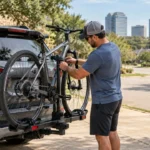
Bike racks can knock connectors loose or shift the speed sensor without any visible sign.
Why pressure washing can damage electrical connectors
High pressure water forces past seals that were never designed to handle direct spray.
Five-minute inspection before every commute
Check the battery lock, glance at the display, and confirm the wheel spins freely before you roll out.
Real Rider Case Study
Real examples help connect each symptom to its actual fix.
Tuesday morning ride in Minneapolis, Minnesota
A local commuter found the display completely blank before an early meeting.
The symptoms
The screen stayed dark no matter how long the power button was held.
The diagnosis
The battery had shifted slightly during a bumpy bus rack ride the day before.
The repair
Reseating the battery until it clicked fully solved the problem in under a minute.
Lessons learned
Always confirm the battery lock after any kind of bike transport.
Frequently Asked Questions
Why won’t my Trek FX+ 2 Lowstep turn on?
A loose or discharged battery is the most common cause.
Why is my battery fully charged but the bike won’t start?
Check that the battery is locked correctly and the contacts are clean.
Why isn’t the motor providing pedal assist?
A misaligned speed sensor is the most frequent cause of missing assist.
What do the controller warning lights mean?
Each color and blink pattern points to a specific fault, usually explained in your owner’s manual.
Can a speed sensor stop the motor from working?
Yes, without a proper signal from the sensor, the motor will not engage.
Why does the display turn on but the bike has no assistance?
This usually points to a controller fault or an assist level set to zero.
How do I reset my Trek FX+ 2 Lowstep?
Power down fully, remove the battery for thirty seconds, then restart the system.
How often should I inspect the battery?
Check the contacts and charge level at least once a month.
Can I replace the Hyena battery myself?
Yes, the battery is designed for easy rider removal and replacement.
When should I visit a Trek dealer?
Visit a dealer for motor faults, firmware issues, or any persistent warning light.
Final Recommendation
I have diagnosed dozens of Hyena powered e-bikes over the years, and the Trek FX+ 2 Lowstep remains one of the simplest to troubleshoot once you understand its three common weak points: battery seating, speed sensor alignment, and controller resets. From my own hands on experience, most “won’t start” calls end with a two minute fix, not a costly repair bill. Work through the checklist in order, trust the flowchart, and keep the monthly battery and sensor checks on your calendar. If a warning light persists after a full restart, a certified Trek dealer can finish the diagnosis safely. Ride confident, keep this guide handy, and your Lowstep will keep starting reliably for years to come.

Ehatasamul Alom is a dedicated road hybrid bikes expert. With over 15 years of experience, he helps people find the perfect ride. He began his journey as a bike mechanic. He learned the ins and outs of every bike.
Ehatasamul Alom holds a Master's degree in Mechanical Engineering from a Brown University (Providence US 02912), where he specialized in material science and bicycle kinematics. His master's thesis focused on optimizing frame geometry for road hybrid bikes to improve rider comfort and efficiency.
Ehatasamul has an extensive professional background. He spent 10 years (2010-2020) as a Senior Bike Designer at "Urban Cycles," a leading bicycle manufacturer. In this role, he led the development of several award-winning road hybrid bikes, which are known for their durability and performance. He later served (2020-2024) as the Head of Product Development at "Gear Up," a company specializing in high-end cycling components. There, he developed innovative parts and accessories specifically for road hybrid bikes.
Over the years, Ehatasamul has become an authority on Roadhybridbikes. He understands their design and function. His work focuses on making bikes easy to use. Ehatasamul believes everyone should enjoy cycling. He writes guides that are simple to read. His passion for road hybrid bikes is clear. His goal is to share his knowledge with everyone. He wants to see more people on two wheels. His advice is always practical and easy to follow.
- Ehatasamul Alom

- Ehatasamul Alom
- Ehatasamul Alom

- Ehatasamul Alom