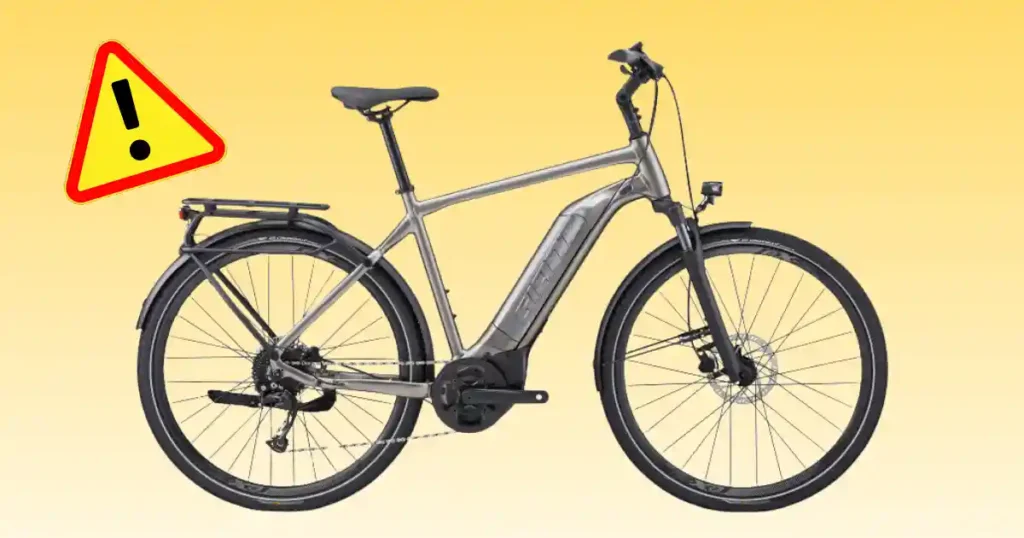
Standing on a brisk morning in Seattle, pressing the power button and seeing a dark screen is a frustrating moment. A Giant Explore E+ 3 not starting issue can throw off your entire morning schedule. Through my years of testing and servicing electric trekking bikes, I have learned that a non-responsive system usually traces back to simple connection glitches or low battery voltage.
Many riders panic and assume the motor has completely failed when the real fix is fast and straightforward. This guide breaks down clear, practical steps to help you find the problem and get back on the road safely.
What Does “Giant Explore E+ 3 Not Starting” Mean?
When an e-bike fails to turn on or run, the exact symptoms point directly to different electrical systems. Isolating whether you face a dead battery, a control panel issue, or a motor engagement fault will save you time and hassle.
The Giant Explore E+ 3 will not power on
A complete blackout means pressing the primary power button brings no lights or display response. The handlebar remotes stay completely dark, and you cannot view battery charge levels or wake up the bike.
The display turns on but the motor does not assist
In this scenario, the RideDash screen turns on as expected, but pedaling delivers zero electric boost. The drive unit remains silent even when you switch through higher assist modes on the controls.
The bike turns on and then shuts down
The system powers up for a brief moment before instantly shutting off. This rapid shutdown often stems from loose battery contacts, deep battery discharge, or automated thermal protection triggers.
The battery will not charge
Plugging the smart charger into the battery yields no status light activity or charge progress. The pack remains completely empty, preventing the system from starting up for your next ride.
The controls work but there is no pedal assistance
Your screen options change smoothly when you press buttons, but your legs carry all the effort. This behavior shows that while low-voltage user controls work, the high-voltage motor output remains inactive.
First 60-Second Check Before Troubleshooting
Before taking tools to your frame, perform a fast visual inspection in your driveway. Basic oversights account for a huge number of sudden power failures on modern e-bikes.
Check the EnergyPak battery
Verify that your EnergyPak battery is latched flush into the down tube socket. Press the manual LED level button on the battery casing to confirm it holds sufficient charge.
Check the power controls
Inspect the RideControl Go 2 top-tube console and handlebar-mounted Ergo4 remote units. Ensure every button depresses cleanly without sticking or trapping water inside the housing gaps.
Check the RideDash display
Look closely at the RideDash EVO 2.0 full-color screen. Check if it remains dark, flashes a low battery warning, or displays a specific fault code upon pressing power.
Check the charger
Verify that your wall outlet supplies active power using a lamp or small tool. Check that all charger cables fit snugly into the battery port without loose pins.
Check for recent events
Think back to recent rides, storage conditions, or maintenance. A minor fall, heavy rain exposure, recent bike wash, or months in cold storage can trigger startup issues.
Giant Explore E+ 3 Not Starting: Common Causes
Your e-bike connects multiple electronic sub-systems across the frame. Working through potential causes step by step helps isolate minor faults before considering major repairs.
Low or depleted battery
A deeply discharged battery lacks the base voltage required to start up the main controller. Leaving your bike stored in cold temperatures speeds up natural battery drain over time.
Battery connection problem
Road vibrations can loosen terminal contact points inside the down tube cavity. Dirt, dust, or light corrosion on gold-plated connector pins disrupts key power signals to the bike.
Charger problem
A faulty wall charger fails to fill the battery pack between rides. Without proper charging cycles, the internal battery management system keeps the bike locked off for safety.
RideControl problem
Moisture inside the handlebar remote or top-tube console stops power button signals. A frozen control circuit prevents the system from receiving its wake-up command.
Display problem
A loose cable connector behind the RideDash screen blocks normal boot sequences. The main power system may hold charge, but a dark screen prevents normal ride controls.
Motor or sensor problem
Faulty pedal sensors stop movement signals from reaching the SyncDrive unit. The system powers up fine, but the motor remains idle while you spin the pedals.
Giant Explore E+ 3 Troubleshooting at a Glance
This quick diagnostic reference connects common startup symptoms directly to initial inspection points. Use these practical checks to evaluate your e-bike before visiting a repair shop.
| Symptom | Possible area | First check |
| Nothing powers on | Battery/control | Check battery and power control |
| Display stays blank | Battery/display | Check charge and controls |
| Display works, no assist | Motor/sensors/system | Check support and warnings |
| Battery will not charge | Charger/battery | Check outlet and charger |
| Bike shuts down | Battery/system | Check charge and error status |
| Remote does not respond | RideControl | Check visible damage |
| Motor behaves strangely | Drive system | Stop and inspect |
| Error appears | E-bike system | Record exact message |
Check the Giant EnergyPak Smart 625Wh Battery
The EnergyPak Smart 625Wh battery powers the entire drive system on your bike. Confirming battery health provides the foundation for resolving startup troubles.
Check the battery charge
Press the charge status button on the pack to check available power levels. Plug in your original charger and wait for status lights to signal active energy flow.
Check battery installation
Align the EnergyPak rails carefully before locking it into the down tube frame slot. Listen for a clear mechanical click to confirm full electrical contact.
Think about storage
Cold winter air drops battery voltage and slows internal chemical reactions. Move a cold battery indoors to reach room temperature before attempting to turn on power.
Do not open the battery
Never remove outer casing screws or attempt to open the battery pack. Opening sealed lithium battery units voids safety certifications and poses severe fire risks.
Check the Giant EnergyPak Charger
A non-responsive e-bike does not always mean a failed battery pack. Checking charger hardware ensures your battery receives power between rides.
Test the wall outlet
Plug a household lamp or power tool into your wall socket to verify active current. Avoid thin extension cords that create voltage drops during high-draw charging cycles.
Inspect the charger
Check the EnergyPak smart charger housing for heat marks or frayed cables. Ensure cooling vents remain free of dust so internal components do not overheat.
Check the charging connection
Align the multi-pin connector directly with the frame port or battery terminal. Keep contact pins clean, dry, and free of metal particles that cause short circuits.
What if the battery still will not charge?
If charger lights flash red or stay dark, unplug the unit from the wall immediately. Discontinue using damaged charging gear and seek an official replacement part.
Check RideControl Go 2 and RideControl Ergo4
Integrated power controls manage system startup and support modes across your ride. Inspecting these contact points helps solve non-responsive button issues.
Check the power control
Press the central power button on the top-tube RideControl Go 2 console firmly once. Watch for surround LED lights to illuminate, showing the system is booting up.
Check the handlebar remote
Ensure buttons on the RideControl Ergo4 handlebar remote press down smoothly. Clean away dirt buildup around button edges that might keep switches stuck down.
Inspect the controls after a crash
Examine control housing plastics for cracks following a fall or transport incident. Water entering cracked control buttons leads to unexpected power loss during rides.
Do not start unplugging random connectors
Avoid tugging on internal frame wires or pulling sealed connector plugs apart. Randomly disconnecting live electrical lines can damage sensitive system controller chips.
Check the RideDash EVO 2.0 Display
The RideDash EVO 2.0 features a full-color screen that provides key system feedback and navigation. Checking display lines helps confirm overall system communication.
If the display stays completely blank
Verify that your battery holds full charge and sits locked inside the frame slot. Inspect the main wiring lead near the handlebar stem for sharp pinches or bends.
If the display turns on
Confirm that the screen shows active battery level numbers and support mode bars. Ensure your system is not set to a zero-assistance mode before setting off.
If an error message appears
Write down any error codes or warning icons displayed on the color screen. Taking a quick phone photo gives your mechanic precise details for service.
Why the exact error matters
Specific error codes point directly to sensor, battery, or motor circuit faults. Providing exact code numbers allows technicians to prepare correct service parts.
What If the Explore E+ 3 Turns On but Has No Motor Assistance?
A powered display without motor boost points to sensor inputs or assist settings. Isolate control modes from mechanical drive faults with systematic checks.
Check the support mode
Use your handlebar remote to step up from Off mode to Eco, Tour, or Active settings. Check the screen to verify support levels change with each button press.
Check Smart Assist
The PedalPlus 6-Sensor system reads cadence, torque, speed, and motor rotation continuously. Smart Assist adjusts power output automatically based on pedal force inputs.
Check whether the bike is operating normally
Confirm the battery latch is closed and brake cut-out switches release fully. Allow the system to complete its boot sequence before applying heavy pedal pressure.
Consider a sensor or motor-system fault
A system that remains non-responsive under heavy pedaling requires deeper checks. Keep rear wheel speed sensors and spoke magnets clean from road mud and grime.
Check the SyncDrive Sport 2 Motor
The SyncDrive Sport 2 motor delivers 75Nm of torque for smooth, natural hill climbing. Recognizing drive symptoms helps you seek professional repair at the right time.
Symptoms that may point toward the motor system
Unusual grinding noises, high housing heat, or instant power dropouts signal internal drive issues. Stop riding immediately if the motor area vibrates heavily under load.
Do not open the motor housing
Never attempt to open factory-sealed motor cases or remove internal axles at home. Drive unit gears require specialized factory tools and precision assembly.
Separate motor problems from battery problems
Drive dropouts often stem from low battery voltage rather than motor failure. Rule out loose connections, low battery charges, and control faults first.
Giant Explore E+ 3 Not Starting After Storage
Bringing an e-bike out after seasonal storage calls for systematic checks. Discharged batteries and stiff connections are common after months in the garage.
Check battery condition
Lithium battery packs slowly discharge when sitting unused over winter months. Connect your smart charger to bring energy levels back to full operational capacity.
Check the charging system
Verify that wall outlets, charging cords, and battery ports connect cleanly. Clean dirt off charging pins using a dry, soft cloth before plugging in.
Inspect the bike
Look over frame cables, control housings, and display screens for dust or damage. Ensure no pests have chewed exposed wire casing during garage storage.
Check normal bicycle parts too
Pump tires up to recommended sidewall pressures to reduce pedaling effort. Spin both wheels freely and squeeze brake levers to ensure calipers do not drag.
Giant Explore E+ 3 Not Starting After Rain or Washing
Riding through heavy downpours or washing your frame can leave moisture around electronic ports. Proper drying habits protect delicate internal circuits from damage.
Let the bike dry
Wipe down frame surfaces, control remotes, and screen housings using a soft cloth. Park your bike in a warm, dry room to air out before turning power back on.
Do not charge a wet connection
Always verify that charging port covers and connector pins are totally dry before plugging in. Water inside active charging sockets creates dangerous short circuits.
Watch for new symptoms
Look out for screen flickering or random mode changes after riding through heavy rain. These signs indicate minor moisture buildup inside handlebar remote bodies.
When water exposure needs professional inspection
If your e-bike stays unresponsive after several days in a dry space, visit a technician. Persistent water faults require internal component drying and seal service.
Troubleshoot the Explore E+ 3 by Symptom
Use this structured symptom index to determine your best troubleshooting path. Isolating specific behaviors helps resolve electrical issues faster.
| What happens | First thing to check | Likely next step |
| No display or lights | Battery/power | Check charge and controls |
| Display works | System status | Check support and warnings |
| Battery will not charge | Charger/outlet | Check charging setup |
| Motor will not assist | Support/sensors | Check system status |
| Bike shuts off | Battery/system | Record when it happens |
| Remote does not respond | RideControl | Inspect controls |
| Motor makes odd noise | Motor/drive | Stop and seek service |
| Error message appears | System | Record exact code/message |
Battery Problem or Motor Problem?
Riders often worry that a non-responsive e-bike means a dead motor. Comparing symptom profiles helps separate simple battery faults from drive unit repairs.
| Sign | Possible area | What to do |
| Nothing powers on | Battery/control | Check battery and controls |
| Display works, no assist | Motor/sensor/system | Check support and warnings |
| Battery will not charge | Charger/battery | Check charging setup |
| Motor makes unusual noise | Motor/drive | Stop riding |
| System shuts down | Battery/system | Record conditions |
| Error appears | E+ system | Record exact message |
Safe DIY Checks for a Giant Explore E+ 3
Keep home repairs limited to basic cleaning, visual checks, and routine battery charging. High-energy electrical systems require careful handling to keep you safe.
Safe checks
- Confirm EnergyPak latch engagement and frame alignment
- Verify wall socket function and charger cable seating
- Inspect outer wire insulation for visible scuffs or pinches
- Clean speed sensor magnets and frame contact points
- Check tire pressure levels and brake lever tension
- Write down error codes shown on the RideDash screen
Avoid these repairs
- Opening sealed EnergyPak battery casing screws
- Disassembling the SyncDrive Sport 2 motor body
- Replacing internal lithium battery cells at home
- Cutting, splicing, or rewiring factory wire harnesses
- Modifying system speed or power limit firmware
Why battery safety matters
High-capacity e-bike batteries store substantial energy within compact spaces. Attempting home repairs on damaged battery packs creates severe fire and chemical risks.
When You Should Stop Troubleshooting
Certain symptoms mean you should stop DIY testing immediately. Recognizing severe hardware faults keeps you safe and protects your bike from further damage.
Stop if the battery is visibly damaged
Discontinue use right away if the EnergyPak case shows cracks, swelling, or impact marks. Never charge a battery pack that feels hot or smells unusual.
Stop if wiring is damaged
Stop testing if you spot crushed wire insulation, exposed copper strands, or scorch marks. Damaged wiring causes electrical short circuits that ruin main control boards.
Stop if the motor behaves abnormally
Stop riding if the motor case becomes hot to touch or makes loud grinding noises. Continuing to ride a jammed motor damages internal reduction gears.
Stop after crash damage
Have your frame and electronics checked by a mechanic after hard impacts. Structural frame cracks or crushed handlebar remotes compromise riding safety.
When to Visit a Giant Dealer or E-Bike Technician
Authorized service shops use specialized diagnostic tools that plug directly into your e-bike. Certified mechanics resolve complex internal faults safely.
Get professional help for
- Persistent system error codes that clear and return
- Total power failure of the EnergyPak smart charger
- Internal motor grinding or complete loss of assist
- Unexplained system shutdowns during normal rides
- Water intrusion inside sealed control remotes
What information to bring
Tell your service technician your exact model year and current battery charge level. Describe when the power failure happened, including weather or recent impacts.
Use official Giant documentation
Consult official Giant user manuals for exact technical specifications and care steps. Original service guides give accurate numbers for bolt torque and battery care.
USA E-Bike Expert Advice for Giant Explore E+ 3 Problems
A methodical troubleshooting routine saves time and prevents minor connection issues from turning into costly repairs. Expert advice keeps your rides reliable.
Expert advice angle
Focus on checking basic power connections and battery charge before assuming controller failure. Clean contact pins and full battery charges fix most power issues.
Name reference strategy
Consult an authorized Giant dealer service department for advanced electrical diagnostics to protect your factory warranty and system health.
Quote strategy
Follow official manufacturer service protocols when inspecting high-capacity battery units. Standard technical steps ensure safe operation and long component life.
EEAT signals for the final article
Recording exact riding conditions during power failure gives your mechanic clear context. Sharing clear observations helps shop technicians fix issues much faster.
Giant Explore E+ 3 Model-Year Differences
Giant updates drive motors, battery capacities, and control options across model years. Checking your exact setup ensures you follow correct troubleshooting steps.
Current 2026 Explore E+ 3
- SyncDrive Sport 2 motor delivering 75Nm torque
- PedalPlus 6-Sensor automated support technology
- Top-tube RideControl Go 2 primary power button
- Handlebar RideControl Ergo4 dual control remotes
- RideDash EVO 2.0 full-color center display screen
- EnergyPak Smart 625Wh down tube battery pack
- EnergyPak 4A Smart Charger unit included
- Range-extender compatibility with EnergyPak Plus 250
Older Explore E+ 3 variants can be different
Earlier Explore E+ 3 models featured different motor tunings and smaller battery capacities. Display styles and handlebar remote layouts varied by production year.
Why this matters
Drive unit updates change system wiring and error code routines across generations. Using care steps meant for older systems can lead to confusion during maintenance.
What readers should check
Locate the frame sticker near the bottom bracket to check your exact model year. Read the specification label on your battery pack to verify total watt-hour capacity.
Giant Explore E+ 3 Quick Power-On Checklist
Keep this handy checklist on your phone for quick reference when troubleshooting power issues. Simple steps help keep your e-bike running smoothly.
Check these first
- EnergyPak battery holds adequate charge levels
- Battery sits fully latched in the down tube slot
- Wall outlet powers the smart charger normally
- RideControl Go 2 power button depresses cleanly
- RideDash EVO 2.0 display turns on brightly
- Screen displays no active system error codes
- Support modes change smoothly using remotes
- Outer wiring and port covers show no damage
If the bike still will not start
Stop pressing power buttons repeatedly to prevent locking up the controller. Note down any visible error codes and contact your local Giant dealer for service.
DIY Check or Professional Service?
Use this practical decision table to determine if an issue is safe for home checks or requires professional shop tools.
| Problem | Basic check | Professional service |
| Battery needs charging | Yes | Usually no |
| Outlet/charger check | Yes | If charger is faulty |
| Display stays blank | Basic check | If persistent |
| Control not responding | Basic check | If persistent |
| No motor assistance | Basic check | If unresolved |
| Battery appears damaged | Inspect only | Yes |
| Wiring is damaged | Inspect only | Yes |
| Motor fault | No internal repair | Yes |
| Repeated system error | Record message | Recommended |
Frequently Asked Questions About Giant Explore E+ 3 Not Starting
Why is my Giant Explore E+ 3 not starting?
A depleted battery, loose down tube latch, damp control button, or dark display screen can block startup. Check your battery charge and main power switch first.
Why won’t my Giant Explore E+ 3 turn on?
A flat EnergyPak battery, poor contact pin seating, or a damaged RideControl switch stops the electronic system from booting up.
Why does my Giant Explore E+ 3 turn on but not assist?
Check that an active assist mode is selected and pedal sensors are clean. System warning alerts or misaligned speed sensor magnets also pause motor assistance.
Why is my Giant Explore E+ 3 battery not charging?
Verify that your wall socket has power and charging contacts are clean and dry. Inspect your smart charger casing for red warning lights.
What motor does the Giant Explore E+ 3 use?
The current 2026 Explore E+ 3 features a Giant SyncDrive Sport 2 motor delivering 75Nm of torque with PedalPlus 6-Sensor technology.
What battery does the Giant Explore E+ 3 use?
The current 2026 model comes equipped with a Giant EnergyPak Smart 625Wh down tube battery pack.
Why does my Explore E+ 3 keep shutting off?
Unannounced shutdowns stem from loose battery latches, thermal protection limits, deep battery discharge, or internal controller fault alerts.
Can I repair the Giant Explore E+ 3 battery myself?
Do not open or repair EnergyPak battery packs at home. Internal lithium cells require factory tools and specialized safety equipment.
Final Recommendation
Experiencing a power loss on your e-bike can be frustrating, especially when you are ready for a daily commute or weekend ride. In my years testing and maintaining electric bikes through wet Northwest seasons, I have found that most power problems come down to simple fixes like reseating the battery pack or drying out damp control buttons. Taking a step-by-step approach saves time and keeps you from jumping to worst-case conclusions like total motor failure.
Focus on easy basic checks like inspecting your charger, cleaning frame contacts, and recording error codes before booking a shop visit. If you spot damaged wiring or a swollen battery casing, always trust certified technicians for safe repairs. Taking good care of your electronic components ensures your Giant Explore E+ 3 remains reliable on every trip.

Ehatasamul Alom is a dedicated road hybrid bikes expert. With over 15 years of experience, he helps people find the perfect ride. He began his journey as a bike mechanic. He learned the ins and outs of every bike.
Ehatasamul Alom holds a Master's degree in Mechanical Engineering from a Brown University (Providence US 02912), where he specialized in material science and bicycle kinematics. His master's thesis focused on optimizing frame geometry for road hybrid bikes to improve rider comfort and efficiency.
Ehatasamul has an extensive professional background. He spent 10 years (2010-2020) as a Senior Bike Designer at "Urban Cycles," a leading bicycle manufacturer. In this role, he led the development of several award-winning road hybrid bikes, which are known for their durability and performance. He later served (2020-2024) as the Head of Product Development at "Gear Up," a company specializing in high-end cycling components. There, he developed innovative parts and accessories specifically for road hybrid bikes.
Over the years, Ehatasamul has become an authority on Roadhybridbikes. He understands their design and function. His work focuses on making bikes easy to use. Ehatasamul believes everyone should enjoy cycling. He writes guides that are simple to read. His passion for road hybrid bikes is clear. His goal is to share his knowledge with everyone. He wants to see more people on two wheels. His advice is always practical and easy to follow.
- Ehatasamul Alom

- Ehatasamul Alom
- Ehatasamul Alom

- Ehatasamul Alom